
Most small businesses in Southwest Florida run on a mix of hardware, shared drives, and disconnected software. It works until something breaks. A failed hard drive, a ransomware attack, or limited access for remote work can stop operations and cost you time and money. Without a reliable system in place, your business is always one issue away from downtime.
With more than 24 years of experience, Vontainment provides managed cloud services and IT support for businesses in Port Charlotte, Punta Gorda, Englewood, North Port, Sarasota, Fort Myers, and Cape Coral. We understand how local businesses operate and what they need to stay connected, secure, and efficient. Our experience allows us to design systems that support daily operations without unnecessary complexity.
We build cloud infrastructure, on-premise systems, and hybrid solutions based on your business needs. This includes secure data access, scalable resources, and reliable backups that reduce risk and improve performance. Whether you need to modernize your setup or fix ongoing issues, we create systems built for stability and growth.
Managed Cloud Services for Southwest Florida Businesses
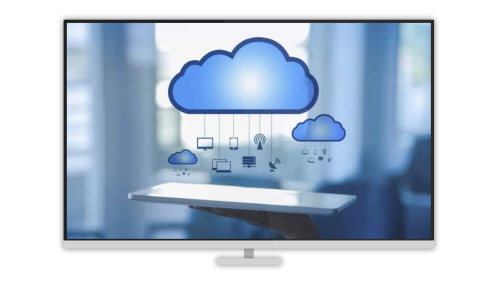
- Secure, scalable cloud infrastructure built around your workflow, not a generic template.
- Optimized servers with real-time monitoring so your systems stay up and perform consistently.
- Advanced encryption, automated backups, and disaster recovery planning baked in from the start.
- Custom cloud integrations, self-hosted web apps, and remote access tools designed for how your team works.
- Local IT support from a team that knows Southwest Florida businesses, not a national help desk reading from a script.
Our Solutions For Your Cloud Service Needs
Cloud services shouldn’t feel complicated or fragile. You need systems that stay online, stay secure, and actually support your day-to-day operations. That’s why we build cloud environments around real business use in Port Charlotte, Punta Gorda, North Port, and surrounding areas. The focus stays on performance, reliability, and long-term usability—not unnecessary complexity.

Hardware & Infrastructure:
- Cloud VPS, dedicated servers, and hybrid setups designed to match your workload and avoid wasted resources.
- On-premise and cloud-integrated hardware solutions for businesses that need speed, control, or local redundancy.
- Network configuration, load balancing, and scaling strategies that keep performance consistent as you grow.

Software & Systems:
- Deployment of business tools like file storage, email hosting, CRM systems, and custom applications.
- Secure access systems including VPNs, user permissions, and encrypted environments for remote teams.
- Automation, backups, and system integrations that reduce manual work and prevent data loss.

Support & Management:
- Ongoing monitoring, updates, and optimization to keep your systems stable and secure over time.
- Backup management and disaster recovery planning to protect against outages, failures, and cyber threats.
- Local IT support that understands your business and responds quickly when something actually matters.
Secure Internal Apps With Reverse Proxy Servers
A reverse proxy server sits inside your private network and routes incoming requests to the right backend systems. It’s the layer between the open internet and the services you actually want to protect: your intranet, internal web apps, remote access tools, and anything else that shouldn’t be exposed directly.
In practice, reverse proxies do three things well:
- Load balancing – Traffic gets distributed across backend servers so no single machine gets overwhelmed. If one goes down, traffic reroutes automatically.
- Web acceleration – Content gets compressed and cached at the proxy level. SSL termination happens here too, which lightens the load on your web servers.
- Security and anonymity – Backend servers stay hidden from outside traffic. Multiple services can share a single domain. Attack surface shrinks considerably.
For businesses handling sensitive client data or running internal tools on their LAN, this isn’t optional. It’s basic network hygiene. Full encryption means even if someone gets on your network, they can’t read your traffic.
Network Security and Advanced Firewall Management
A firewall is the first hard line between your internal network and everything trying to get in. It inspects every data packet and blocks anything that doesn’t match your policies. Positioned at the network edge, it filters traffic between internal systems and the outside world, stopping unauthorized access before it becomes a breach.
For small businesses in Charlotte County and Lee County, the threat landscape is real. Ransomware, phishing, and brute-force attacks don’t skip you because you’re small. Smaller businesses are often easier targets. A proper firewall setup, combined with guest Wi-Fi isolation, intrusion detection, and quality-of-service controls, closes off the most common attack vectors without breaking the bank.
We configure, monitor, and maintain firewall rules so you’re not relying on factory defaults that haven’t been touched in three years.
Local DNS Servers for Faster, Safer Internal Networking
DNS (Domain Name System) is what translates a domain name into the IP address a server actually lives at. Every time someone on your team opens a browser or accesses a service, a DNS lookup happens. Most businesses send those requests to a public resolver, which means they have no visibility or control over what gets through.
Hosting your own DNS server locally changes that. It blocks dangerous and malicious domains using up-to-date cybersecurity threat lists, speeds up internal name resolution, and lets you map clean domain names to local services. Instead of typing an IP address, your team accesses projects.domain.lan or files.domain.lan, which is cleaner and easier to manage.
We also implement DNS-over-HTTPS (DoH) and DNS-over-TLS (DoT) to encrypt all DNS traffic. Paired with HTTPS across your services, this ensures end-to-end privacy. No one on the network, or between it and the internet, can read your requests or intercept your data.
Fast, Secure Remote Access for Your Team
Remote work isn’t going away, and a poorly configured VPN creates more problems than it solves. Slow connections, dropped sessions, and security gaps give IT managers headaches. We configure all major VPN protocols, including OpenVPN and IKEv2, which runs natively on Windows, Mac, Linux, iOS, and Android without extra software.
Our recommendation for most small businesses is WireGuard, a modern, lightweight VPN protocol built on state-of-the-art cryptography. It connects faster, performs better on mobile networks, and has a significantly smaller attack surface than older protocols. If your remote workforce is dealing with slow or unreliable VPN connections right now, WireGuard is usually the fix.
Hosting decisions depend on your actual usage. Services used mostly on-site with occasional remote access belong on your local network. Bandwidth-heavy applications like video conferencing or large file transfers are better suited to cloud hosting. We help you figure out which is which before you commit to infrastructure you’ll regret.
Where file security is critical, we use encrypted, non-sync storage to eliminate sync conflicts while keeping full control on-premise.
Security-First Managed IT That Actually Protects You
Security isn’t a checkbox we get to eventually, it’s how every project starts. Most small businesses don’t discover a security gap until something goes wrong. We’d rather you never find out the hard way.
Every site and server we manage includes these protections as standard:
- Firewalls and antivirus with automatic rollback that catches and reverses unauthorized file changes after an attack, ransomware included.
- Cloudflare integration for DDoS protection, performance, and an additional security layer between your server and the public internet.
- All code optimized, patched, and kept current. We’re not set-it-and-forget-it people.
- Automated backups twice daily with off-site copies, so disaster recovery is a restore, not a crisis.
Business continuity planning matters here too. Southwest Florida businesses deal with hurricanes, power outages, and connectivity disruptions that most of the country doesn’t think about. We design infrastructure with that reality in mind.
Open-Source Business Software We Deploy and Support
Self-hosted, open-source software gives you enterprise-grade tools without the enterprise-grade licensing fees. We deploy, configure, and maintain these platforms on your infrastructure so you own your data and your workflow. No vendor lock-in, no surprise subscription increases.
- Odoo – A full suite of business apps covering CRM, eCommerce, accounting, inventory, point of sale, and project management from a single platform.
- OpenCart – A free, open-source eCommerce platform built for online merchants who want control over their storefront.
- InvoicePlane – A self-hosted invoicing system for small to mid-sized businesses that keeps billing simple and private.
- Sentrifugo – An HR management system that handles employee records, leave requests, and workforce administration.
- Flyve MDM – A mobile device management platform for securing and monitoring company devices across your team.
- DoliWoo – Connects the Dolibarr ERP/CRM system with WooCommerce, bridging your back office with your online store.
- VTiger – A customer relationship management platform built for small and mid-sized businesses that need real CRM without the Salesforce price tag.
- Simple Invoices – A lightweight, web-based invoicing tool for businesses that just need clean, fast billing.
- OrangeHRM – A human resource management system with solid tools for small and growing teams.
Cloud and IT Infrastructure Services in Port Charlotte
Vontainment handles the technical infrastructure so you don’t have to. That means cloud and on-premise servers, containerized application deployment, virtualization, self-hosted web apps, managed email hosting, and the network security that holds it all together. We work with businesses across Charlotte, Lee, and Sarasota counties that are done patching problems together and want infrastructure that actually holds up.
Below are the core platforms and technologies we deploy for local businesses. Most of these are open-source, which keeps your costs predictable and keeps you in control of your own data.
Cloud VPS
- A Cloud VPS (Virtual Private Server) runs as a virtual machine on remote infrastructure and connects over the internet.
- Scale resources up or down based on demand. Pay for what you use, not what you might need someday.
- Accessible from anywhere, making it a strong fit for remote teams and multi-location businesses.
- Managed through a web control panel or command-line tools depending on your preference.
- Ideal for hosting web apps, email servers, and business tools that need reliable uptime without on-site hardware.
Proxmox On-Premise
- Proxmox is an enterprise-grade virtualization platform you run on your own hardware. No licensing fees, full control.
- Create and manage virtual machines and containers through a clean web interface.
- Run Linux, Windows, and other operating systems side by side on the same physical server.
- Built-in live migration, high availability clustering, and backup and restore tools.
- The right choice for businesses that want on-premise infrastructure with cloud-like flexibility.
Debian + Docker
- Debian is one of the most stable and widely deployed Linux server operating systems available.
- Docker packages applications in containers that run consistently across any compatible machine.
- Together they make a lightweight, portable app platform that’s easy to maintain and scale.
- Move containers between servers, spin up new instances quickly, and deploy updates without downtime.
- Our preferred stack for self-hosted business applications that need to run reliably long-term.
Backup Servers
- A backup server stores protected copies of your data for disaster recovery when something goes wrong.
- Back up local servers, workstations, and devices to a centralized, secure location.
- Scheduled backups run automatically, or trigger from system changes or failures.
- Multiple retention policies and storage locations ensure you always have a clean restore point.
- Restore to the original location or an alternate system fast, so downtime stays short.
Modoboa
- Modoboa is a free, open-source email hosting platform. Run your own private email server, not a shared inbox.
- Manage email domains, users, and aliases through a web interface with built-in spam filtering and virus scanning.
- Works with Outlook, Thunderbird, and other clients using IMAP, SMTP, and webmail access.
- Host multiple domains and extend functionality with plugins as your business grows.
- A solid self-hosted email solution for businesses that want full control over their communications.
Mailcow
- Mailcow runs on Docker and provides a full open-source email hosting stack with a web-based admin interface.
- Comes with spam protection, content filtering, and broad support for email clients.
- Access via IMAP, SMTP, and webmail, with plugins available for added functionality.
- Supports multiple domains, deploys quickly on Linux and FreeBSD, and ships with strong security defaults out of the box.
- A good choice when you want Docker-managed email without a lot of configuration overhead.
Nethserver
- Nethserver is a free, open-source Linux server OS with a web-based management interface built for small businesses.
- Handles virtualization, cloud storage integration, file and print serving, email, and web hosting from one platform.
- Built on a CentOS base with monitoring, management, and easy module installation.
- A practical all-in-one server OS for businesses that want centralized infrastructure without the complexity.
- Sets up quickly and gives you a reliable foundation for your internal network.
Nextcloud
- Nextcloud is a self-hosted, open-source alternative to Google Drive and Dropbox. It handles file storage and team collaboration on your own infrastructure.
- Install on a local server or cloud VPS; access from any device on or off your network.
- Store, share, and collaborate on files with built-in calendars, contacts, and document editing.
- Your data stays yours. No third-party scanning, no data sharing, no storage limits you don’t control.
- Extensible with a large plugin library and backed by an active developer community.
Ready to Build IT Infrastructure You Can Actually Rely On?
Your infrastructure should be stable, documented, and built to support real business growth. By replacing patchwork systems with a clear, reliable setup, you reduce downtime, improve performance, and create a foundation that actually scales. Businesses across Port Charlotte, Punta Gorda, and Southwest Florida rely on this approach because it brings clarity, control, and long-term stability to everything connected to their operations.
If you’re ready to clean up your infrastructure and eliminate the uncertainty, get your free consultation and see exactly where your systems stand. You’ll get clear answers, practical recommendations, and a plan that fits your business, so you can move forward with confidence and know your infrastructure is built right.
Cloud Services FAQs
Cloud services store your data and run your systems on secure remote servers instead of local hardware. This improves accessibility, reduces downtime, and allows your business to scale without expensive infrastructure.
Yes, when configured properly. Cloud systems use encryption, access controls, and layered security to protect your data. In many cases, they are more secure than traditional on-site setups used by small businesses.
Yes, either partially or completely. Many businesses move email, storage, backups, and applications to the cloud to reduce maintenance and improve reliability while keeping only what they need locally.
The right solution depends on your workflow, security needs, and budget. A proper setup is based on how your business operates, not a one-size-fits-all system, ensuring you get performance and protection without unnecessary cost.
 Call Now