
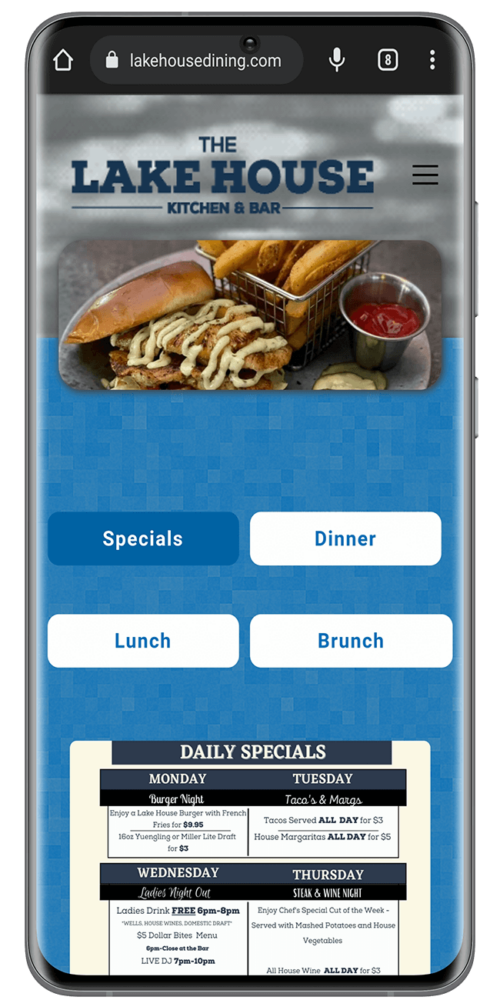
WooCommerce is the free store plugin for WordPress, and it’s our go-to tool for small online shops. If you run a business in Port Charlotte, you may be weighing it right now. Maybe you want to bring your brick-and-mortar shop online. Maybe you want to launch a new online brand. We build stores for all kinds of local trades, from Port Charlotte restaurant websites to real estate web design to contractors.
This guide skips the sales pitch. You’ll see what a build involves, what it really costs to run, and the mistakes we see most often. We also answer the questions owners ask us before they commit.
What a WooCommerce Build Involves
WooCommerce is an open-source plugin that turns a WordPress site into a store. The plugin costs nothing. You pay for hosting, a domain, any paid extensions, and payment fees. Because you own the site and the data, you can move hosts or change developers at any time.
Your hosting matters more than most people think. WooCommerce’s own server requirements call for WordPress 6.9 or newer, PHP 8.3 or newer, and a 256 MB memory limit. They also ask for MySQL 8.0 or MariaDB 10.6 and HTTPS. Cheap shared plans often run older versions, and older versions invite security holes.
A typical small-business build has five parts: hosting and setup, design, product entry, payments and shipping, and testing. The official WooCommerce documentation covers each part in detail if you want to read ahead.

Getting Started with WooCommerce for Port Charlotte Businesses
Here’s the order we follow when we set up a new store. Our e-commerce web design services handle every step, but it helps to know what each one involves.
- Plan the catalog. List every product, variation, price and photo before any design work starts.
- Set up hosting. Pick a plan that meets the server requirements, then add SSL and daily backups.
- Install and configure. Run the setup wizard, then set your store address, currency and emails.
- Add products. Write clear titles and details, and use real photos of your own stock.
- Connect payments. Add a card gateway, then Apple Pay and Google Pay if your gateway supports them.
- Set shipping and tax. Build shipping zones and set Florida sales tax by county.
- Test every path. Place real orders on a phone and a laptop, then refund them.
- Launch and watch. Check orders, emails and stock levels daily for the first two weeks.
Out of the box, WooCommerce gives you these core tools:
- Product, Cart, and Checkout pages.
- Card payments and other methods through gateways.
- Shipping options you can set, including flat rates.
- Blocks that mix your content and your products.
- One dashboard to see your key store numbers.
WooCommerce also connects to tools like Google Analytics, Mailchimp, and Facebook through extensions. That way you can track sales and run email or social campaigns from the same data.
A Custom Store That Fits Your Brand
You can shape WooCommerce in almost any way. Here are the three levels of change most stores need:
- Pick a design that suits your industry.
- Use extensions to add features and connect to other services.
- Write custom code that hooks into WooCommerce, instead of editing the core plugin.
That last point matters. If someone edits the core plugin files, the next update wipes out those changes. We use hooks, filters, and the WooCommerce APIs instead, so your custom features survive updates.
Need a feature no extension offers? Our custom WordPress plugin development team can build it. Loyalty points, product bundles, and special shipping rules are common requests.
What You Can Sell With WooCommerce
WooCommerce handles physical products, digital downloads, memberships, and services. It can also run appointment and booking websites. You can sell to neighbors in Port Charlotte or ship across the country. Restaurants use online ordering too, as the best restaurant websites show.
Southwest Florida adds a twist. Many buyers are seasonal residents who head north in spring. If they find you in winter, they may order from Ohio in July. So set up shipping for out-of-state addresses from day one, not just local pickup.
What a WooCommerce Store Costs
The plugin is free, but running a store isn’t. Here are the costs to plan for, with prices from each vendor’s own site as of 2026:
| Cost | What to expect |
|---|---|
| WooCommerce plugin | Free |
| Card fees (WooPayments or Stripe) | 2.9% + $0.30 per US card sale, no monthly fee |
| WooCommerce Subscriptions | $279 per year |
| WooCommerce Bookings | $249 per year |
| Hosting and domain | Varies by host and traffic |
| Design and build | Quoted per project |
Paid extensions renew every year, and the renewal keeps updates and support coming. We tell clients to budget for renewals like any other yearly bill.
WooCommerce Payment Fees and Options
According to the WooPayments fee page, you pay 2.9% plus $0.30 on each US card sale, with no setup or monthly fee. Stripe’s standard pricing matches that rate. PayPal, bank transfers and cash on delivery are also options.
On a $50 order, a 2.9% + $0.30 fee comes to $1.75. Price your products with that in mind. We set up every gateway to meet Florida website legal requirements. We can also add recurring billing if you sell memberships or subscriptions.
Shipping Options for Local and Distant Orders
You control shipping with zones. A zone is a group of places that share the same rates. For example, you might offer free local delivery in Charlotte County and flat-rate shipping everywhere else. Live carrier rates are also available through extensions.
Shipping costs drive lost sales. Baymard Institute’s checkout research puts the average cart abandonment rate at about 70%. Extra costs like shipping, tax and fees top its list of reasons. Show shipping costs early, and you’ll lose fewer buyers at the last step.
Florida Sales Tax Setup
Florida charges a 6% state sales tax, and most counties add a surtax. The Department of Revenue’s surtax guide says the surtax follows the county where you deliver the goods. So a single flat rate for every Florida order is often wrong. We set tax by delivery location and have you confirm the rates with your accountant.
Top Extensions for Your Online Store
Extensions add features, but each one adds cost and upkeep. Here are three we often recommend:
- Subscriptions: recurring payments for boxes, plans and memberships. WooCommerce Subscriptions runs $279 a year.
- Bookings: time slots for services and rentals. WooCommerce Bookings runs $249 a year.
- Table Rate Shipping: custom rates by weight, item count or destination.
Pick extensions for a real need, not a someday need. Every plugin you add is one more thing to update and one more chance of a conflict.
Common WooCommerce Mistakes We See
Most store problems we fix trace back to a short list of choices made at launch:
- Cheap hosting. Slow checkout pages lose sales, and outdated PHP opens security holes.
- Too many plugins. Each one slows the site and raises the odds of a clash after an update.
- No test orders. Owners launch without buying from their own store on a phone.
- Forced account creation. Let shoppers check out as guests, then invite them to sign up later.
- Flat-rate tax for all of Florida. County surtax rates differ, so one rate rarely fits.
- No backup plan. Keep daily off-site backups, especially before hurricane season.
- Stock photos. Buyers trust real photos of the product they’ll actually get.
None of these are hard to fix, but they’re much cheaper to avoid at launch.
Who WooCommerce Isn’t For
WooCommerce needs regular updates and a bit of care each month. If you want zero upkeep and sell only a few items, a hosted platform may suit you better. You’ll trade some control and pay monthly fees, but someone else handles the server.
Why Work With Us on WooCommerce in Port Charlotte?
We’ve built websites for Southwest Florida businesses for over two decades. We know the local rhythm: busy winters, slow summers, and storms that can knock out power for days. We plan your store around those facts.
After launch, we handle updates, backups and security checks, so you can focus on orders. If something breaks, you call a local team that already knows your site.
Ready to Start Your WooCommerce Store in Port Charlotte?
Start with your product list and a rough budget. Then get started with our ecommerce development team. We’ll walk through your catalog, payment needs and shipping plan in a free consultation.
You’ll leave with a clear plan and a quote, whether or not you hire us. That’s the best first step toward a store that works for your business.
WooCommerce FAQ
The core plugin is free. You still pay for hosting, a domain, card fees and any paid extensions.
It depends on your catalog size and features. The biggest time factor is usually getting product photos and details ready.
Yes. Adding products, filling orders and issuing refunds all happen in the WordPress dashboard. We show you how at launch.
Usually, yes. WooCommerce’s docs include a migration section, and products, customers and orders can often be imported.

 Call Now